Streaming

Live video from every camera in the fleet

Each camera on a drone, dock or vehicle is a live feed in the browser. Watch them side by side, send one to someone outside your organisation, record it, or pass it on to the video system you already run.

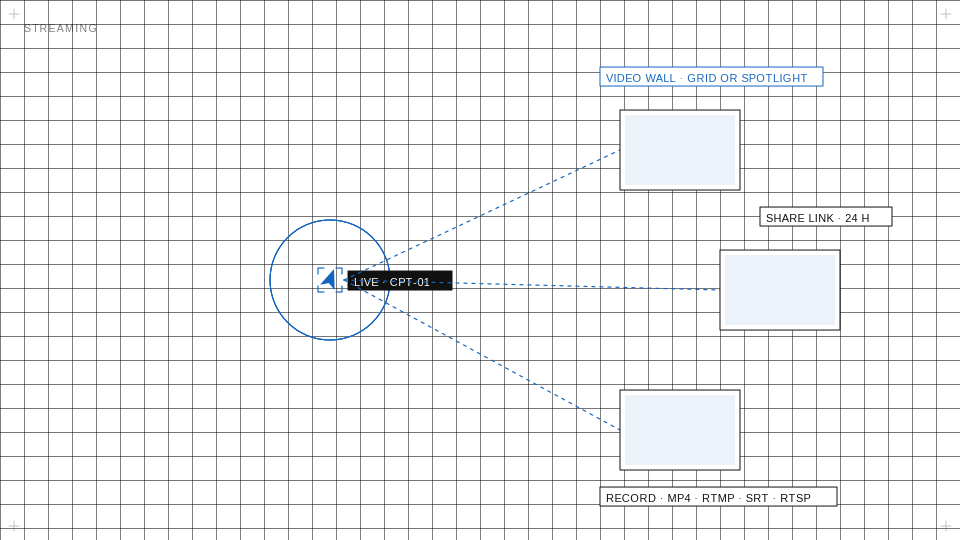
Isometric scene of a drone sending live video through the cloud to a video wall, a phone and an operator console
Video wall

All feeds on one screen

One page for every live camera

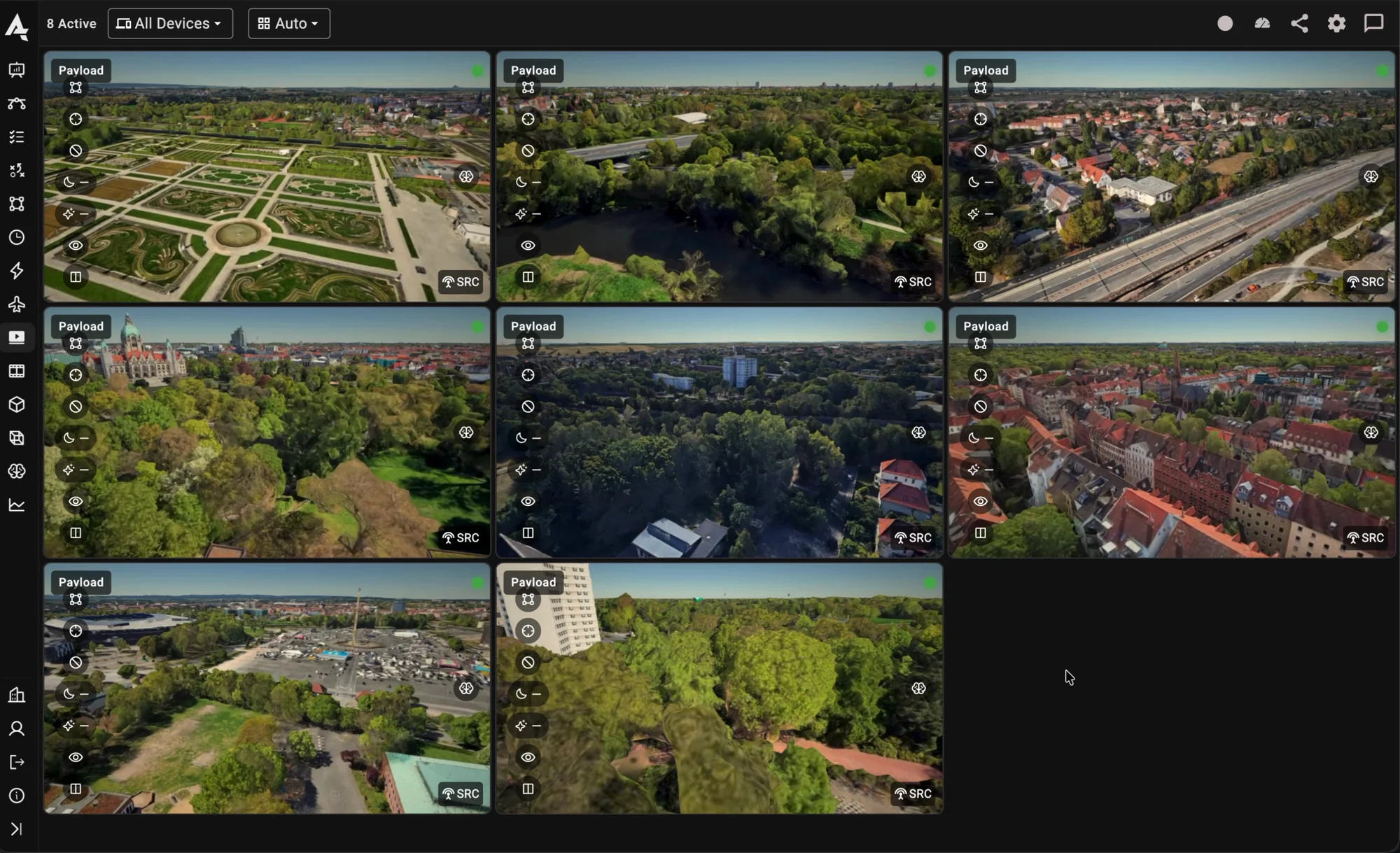
The video page shows every stream that is running in your workspace. Each tile is labelled with its camera and shows whether the feed is connected.
  • Grid or spotlightLay the feeds out as a grid of up to nine, or put one feed large with the others as thumbnails beside it. Filter the wall by device.
  • Control the camera from the feedGimbal, zoom, lens switch and capture sit on the video itself, in a tile or in fullscreen. What each camera supports is on the payload control page.
  • Fullscreen with flight dataA fullscreen feed carries a flight display with horizon, heading, speed and altitude, and can sit next to the map in a split view.
Video wall showing eight live drone feeds in a three-by-three grid

Live video · eight feeds on one wall, filtered by device

Sharing

Send a feed to someone without an account

For the people who only need to watch

An incident commander, a client or a site manager needs the picture, not the control station. A share link gives them the video and nothing else.
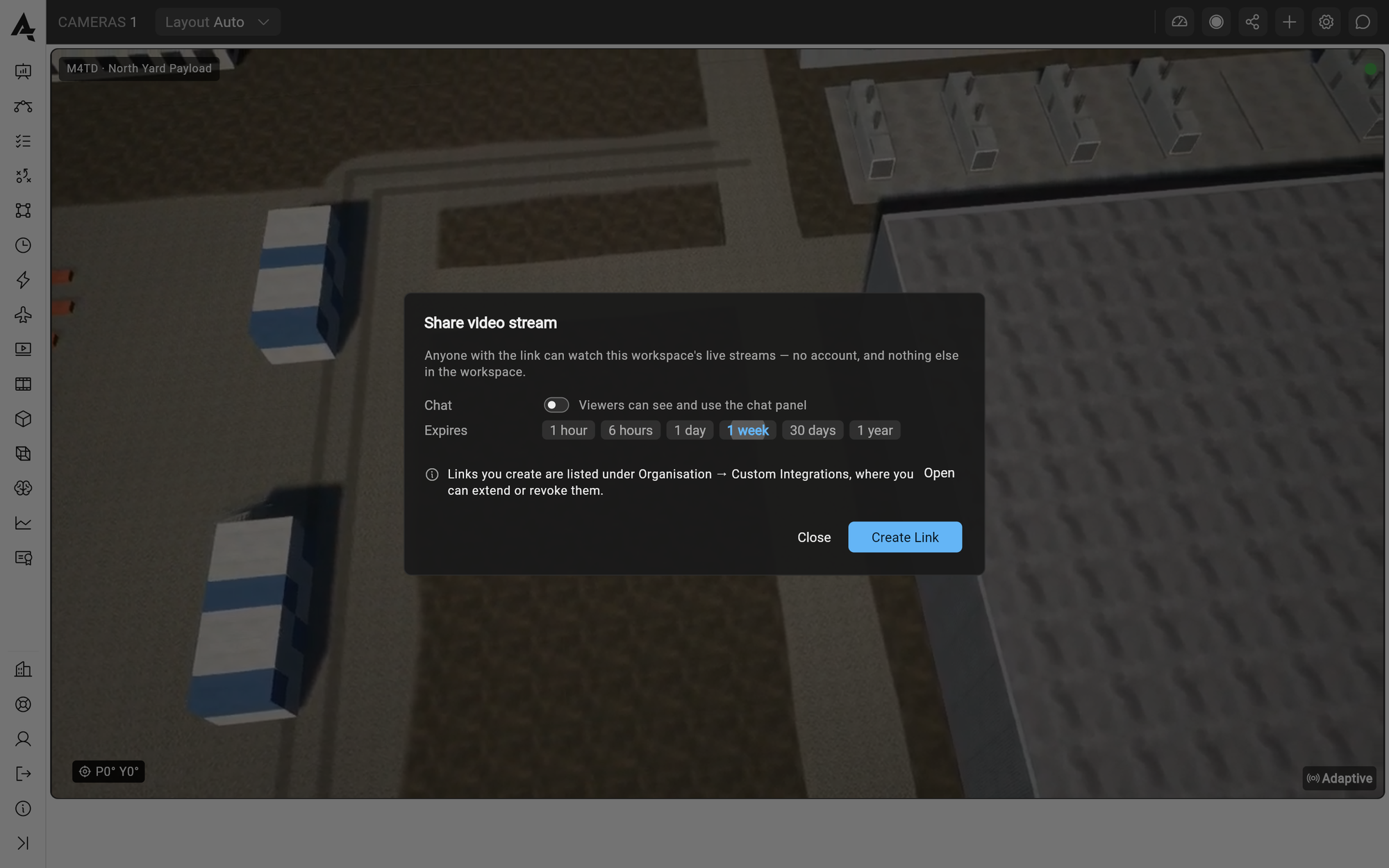
  • A link, not a loginGenerate a link and send it. The viewer opens it in a browser and sees your live feeds. There is nothing to install and no account to create.
  • You set how long it lastsEach link expires after the time you choose, from one hour up to one year.
  • Chat is your choiceDecide per link whether the viewer also gets the text chat that runs beside the video.
  • Revoke it when the job is doneEvery link you have handed out is listed in your organisation settings, and you can revoke it there.
Share dialog for a live video stream with link expiry and chat options
Sources

Where the video comes from

One wall for different aircraft and cameras.

DJI docks and remote controllers

A dock streams its own camera and the aircraft camera. An aircraft flown by hand streams through its remote controller.


Cameras on a companion computer

On MAVLink vehicles, skyclient publishes USB, CSI and network cameras. One vehicle can carry several feeds.

Quality you can turn down

Set a feed to low, medium or high at the source when the link is weak. The wall also asks for a smaller picture for thumbnails than for the feed in focus.

Fullscreen feed with the flight display · simulated world
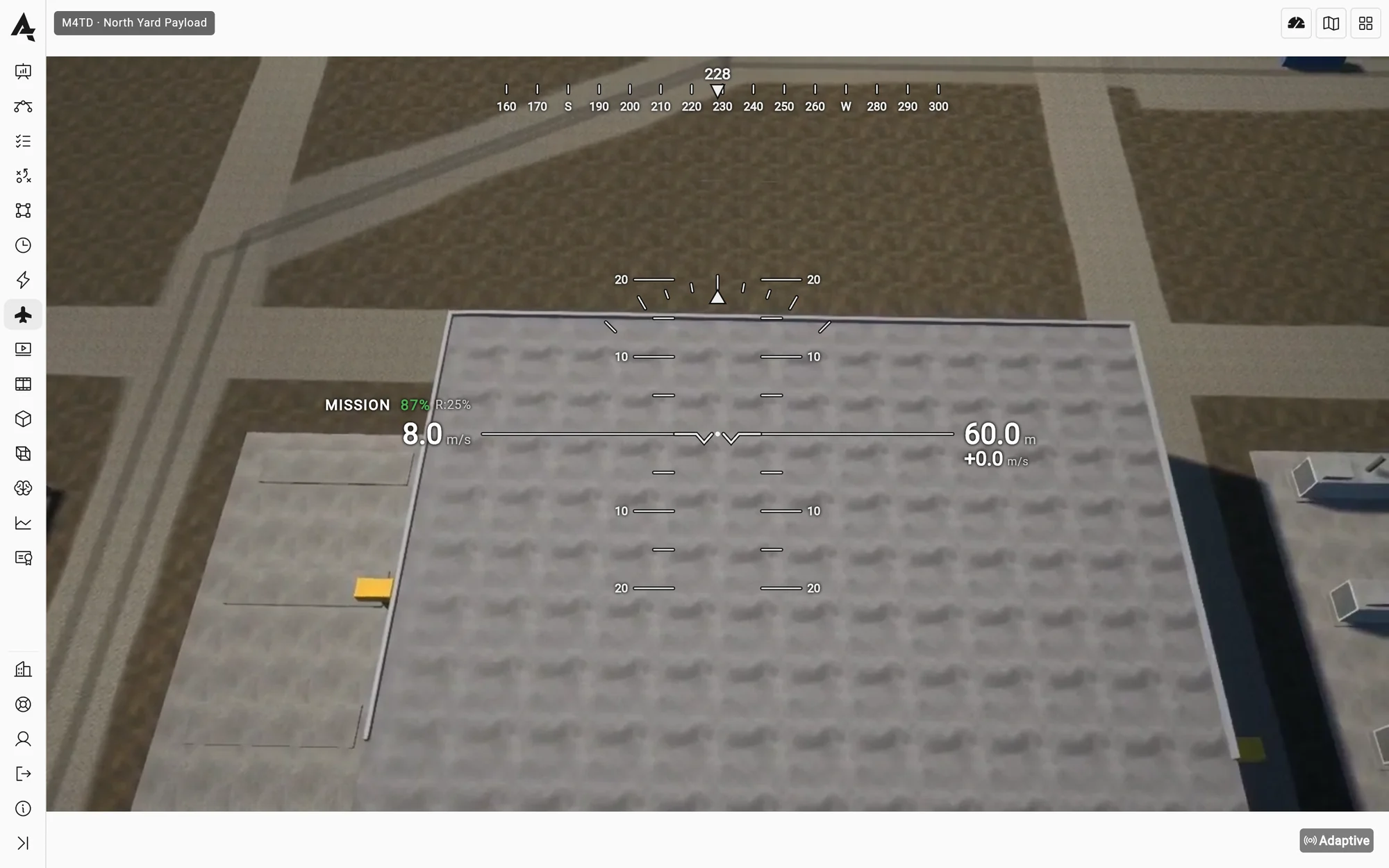
A payload feed fullscreen with the flight display over it: horizon, heading, speed and altitude (simulated world)
Beyond the wall

Record it or pass it on

Recording

Record one feed or the whole wall from the dashboard. Play the recording back in the browser, or download it as an MP4 file.

Forward to your own systems

Push a feed to your RTMP or SRT server, or let your system pull it over RTSP. How this fits a security centre is on the VMS integration page.

A control room around it

Video is one part of a control room. Screens, alerts and escalation are covered under remote operations center.

Organisation · stream forwards over RTMP and SRT, an RTSP pull token
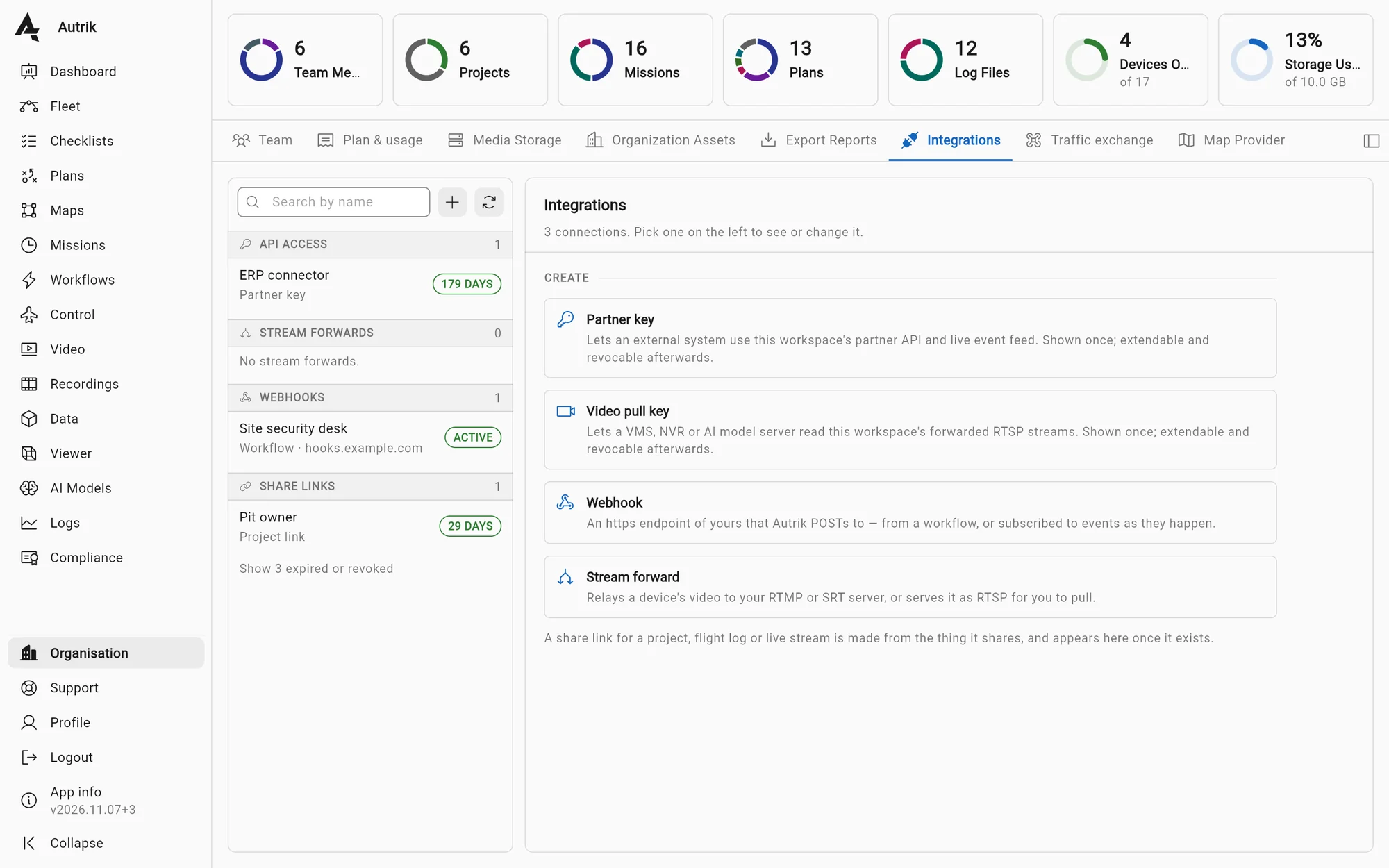
Organisation, Custom integrations: stream forwards over RTMP and SRT, an RTSP pull token, partner keys and webhooks in one list
Straight answers

Limits worth knowing

What live video does not do today.

Delay depends on the link

Video travels over the same mobile or radio link as the rest of the vehicle data. We do not quote a delay figure, because it changes with the link. Test it on yours.

Revoking stops new viewers

A revoked link cannot be opened again. A viewer who is watching at that moment keeps the picture until they disconnect.

Some cameras fix their own quality

A network camera that sends finished H.264 is passed through as it is. Its resolution is set on the camera, not from the dashboard.

See your own cameras on the wall

Tell us which aircraft and cameras you fly. We will show you the feeds, a share link and a recording.