Training centres

Train pilots and ROC operators. In one place.

Simulated drones and docks appear in the same console your trainees will use on the job. Run flight training and remote-operations training without a dock, an aircraft and an airspace slot for every seat.

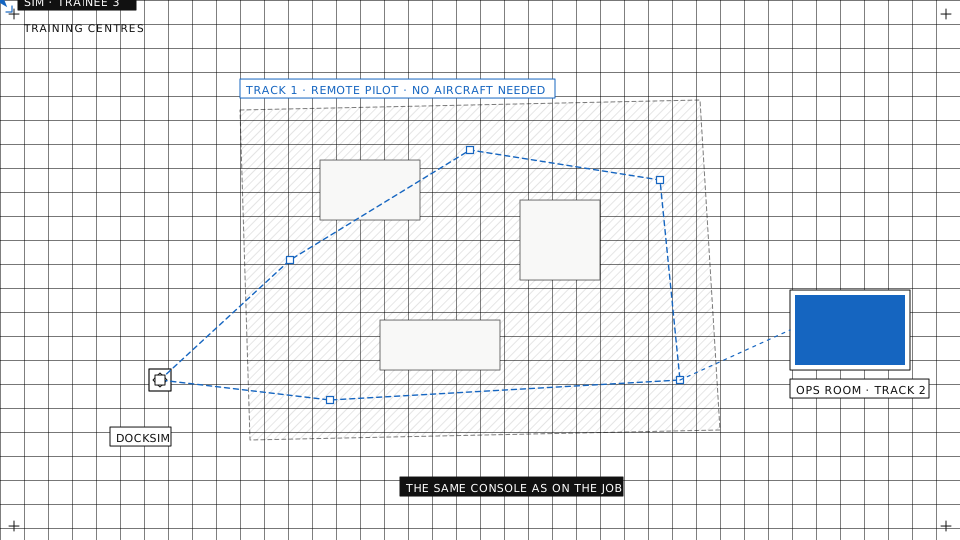
Isometric line illustration of a training console with a trainee and an instructor, connected to a real dock and drone and to their simulated twins
Track 1

Remote pilot training

Practical days depend on weather, airspace and battery cycles. Simulated aircraft do not, and a mistake costs nothing.
  • Plan it, fly it, bring it homeTrainees plan a mission, take off, fly it and land on a simulated aircraft that runs real ArduPilot firmware.
  • Take controlFly to a point, take manual control from the console, return to home and land.
  • DJI aircraft in simulator modePut a connected DJI aircraft into simulator mode from the dashboard and fly it with its own controller.
AutrikOS mission dialog with the Simulate Mission option enabled

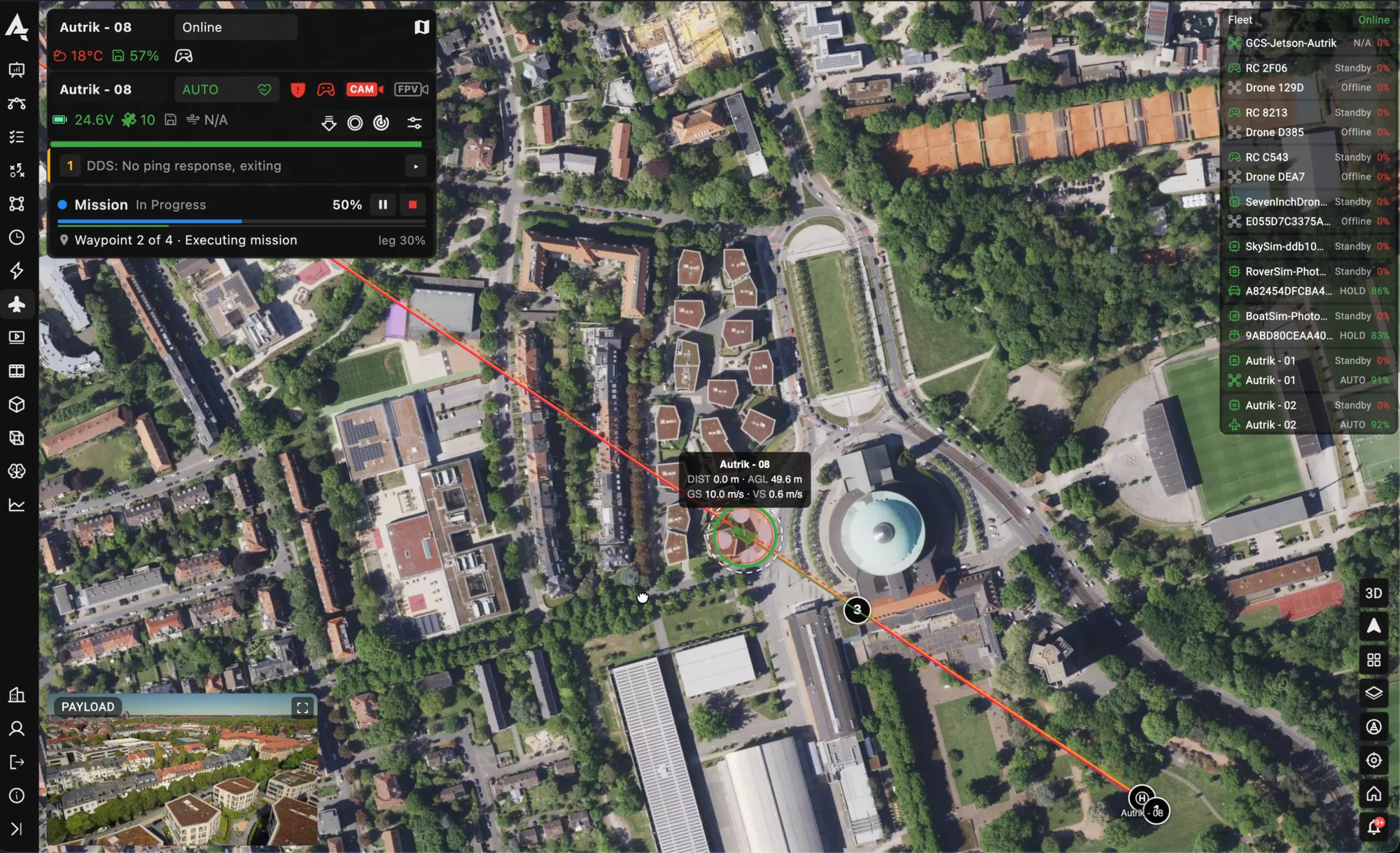
A simulated aircraft on the fly page · the stick pad, the mission progress

Track 2

Remote-operations training

Courses for dock and remote-operations crews need a live dock for every class today. A simulated fleet lets a whole class work a shift at the same time.
  • Simulated docksSimulated dock and aircraft pairs join the fleet, stream video, fly recorded sorties on dispatch and report health like hardware.
  • Many aircraft, one seatTrainees supervise several aircraft at once: live map, video wall, alerts and takeover.
  • Procedures on the real consoleChecklists, notifications and emergency procedures are practised where they will later be used.
AutrikOS control station with dock, drones, live video and geozones on one map
One place

Classroom, simulator and operations in one login

The console they will work with

Trainees use the operator console itself, not a training mock-up. What they learn transfers on day one.

Simulated and real, side by side

Your own drones and docks join the same fleet list as the simulated ones, so the field day uses the same software.

A workspace per class

Separate workspaces with roles for trainees, instructors and viewers.

Every flight recorded

Telemetry, logs and video of each simulated flight are stored like a real one, ready for the debrief.
Digital twin

A twin of the place you train for

About the flight simulator→
  • Real places, photorealisticWorlds built from real cities and sites instead of a generic map.
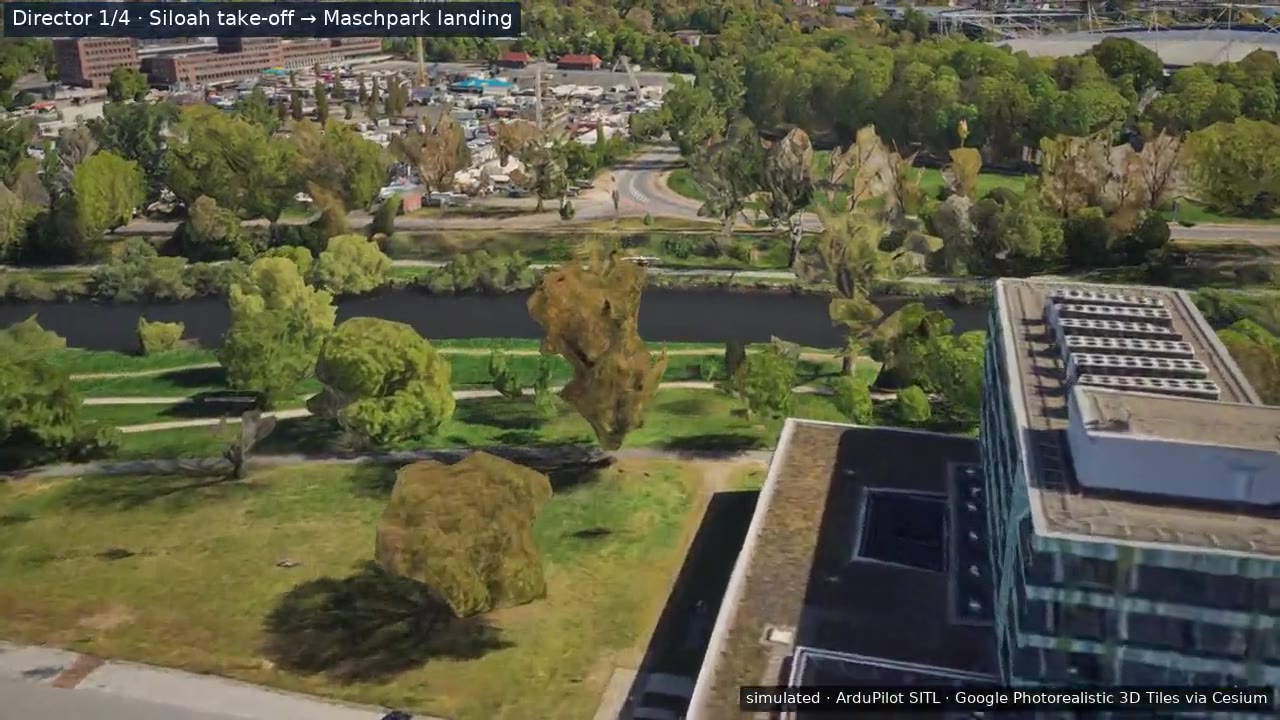
  • Several aircraft, live videoIn our twin of Hannover, five drones flew delivery legs at once, each with live onboard video in the console.
  • Built together with youToday we set up the twin and the scenario for your site as a project with you.
Simulated drone flying over a photorealistic digital twin of Hannover
Straight answers

Where this stands today

We set the simulated fleet up with you for each course. Instructor tools such as scenario scripting, failure injection from the instructor seat and trainee scoring are in development, not in the product yet.

Whether simulator time counts toward a certificate is decided per country and operating category. Some rules now name simulators for the practical training an operator gives its crews, others do not mention them. We do not claim that time on our simulator is credited anywhere; check with your authority.

Run your next remote-operations course on a simulated fleet

Tell us the course you teach and the aircraft and docks your trainees will work with. We set up the fleet and the workspace for your class.